Open your family workspace
Capture on your phone. Review on your computer. Open your shared calendar, tasks and lists in a tablet browser.
Start your free family workspace ↗
 Sign in
Turn school notes and family messages into a shared plan. Review the details, then save events, tasks, lists and reminders in one place.
Free during early access · No special screen to buy
Try AI without your own key while our shared pilot allowance is available.

You shouldn’t have to be the family’s walking filing cabinet. Nestral helps turn the information coming in into the things that need doing.
Paste a message, or upload a photo or PDF.
Review AI suggestions and correct the details.
Approve your choices into your household plan.
Fictional interactive exampleOur museum excursion is next Friday at 9:00 am at City Museum. Please pack a hat and water bottle.
See you there! ☀Illustrative example, running only in your browser. Nothing is sent or saved. Pilot AI is available while Nestral’s shared allowance lasts.
Open your household display on a trusted tablet or computer. See upcoming events and open tasks together, with a quick link back to your workspace when something needs changing.
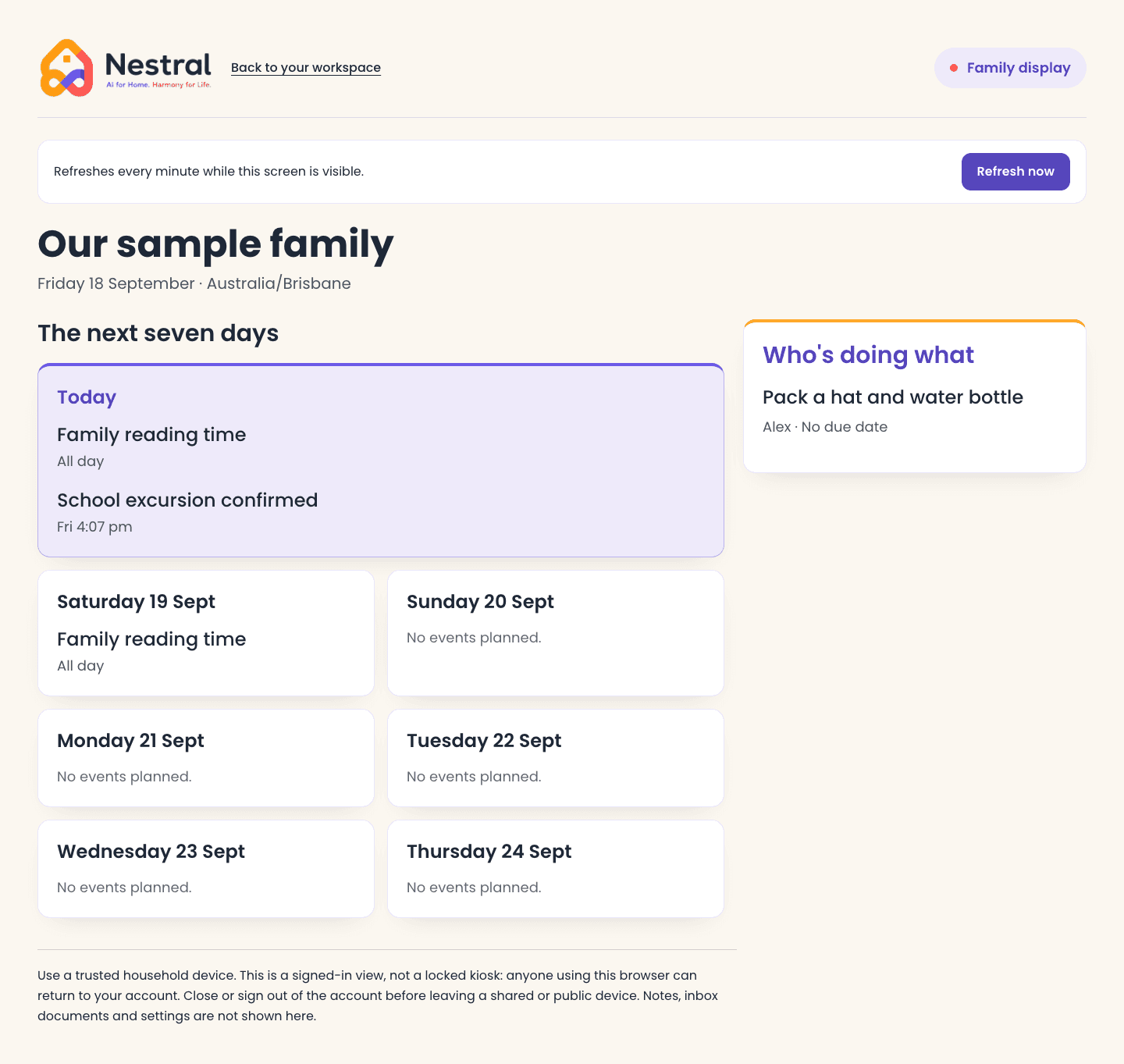
Start with Nestral in a browser on your phone, tablet or computer. Everyone can find the same household plan without buying a dedicated calendar screen.
Capture on your phone. Review on your computer. Open your shared calendar, tasks and lists in a tablet browser.
Start your free family workspace ↗Smart fridge screens, Google Nest Hub, smart TVs and other connected devices are part of our integration roadmap. These integrations are not available or verified yet.
See device compatibility and plans ↗Paste text or upload a photo or PDF. Review suggestions before they become part of the family plan.
Invite another adult to your household. Assign tasks, share shopping lists and see what needs doing.
Choose what to save and correct the details. Learn how your family’s information is handled before you upload.
Read our privacy information ↗Nestral is free during early access. Try pilot AI without your own key while our shared allowance is available. Only households choosing their own OpenAI key pay OpenAI separately.
Shared inbox, calendar, tasks, lists, notes and in-app reminders.
Start your free family workspace ↗Proposed future household plan
A$9.99/month or A$99/year
Not available to purchase. Included AI limits and final terms will be confirmed before launch. Early access will not automatically become a paid subscription.
We’re in early access and building carefully. Here’s what you can expect today.
Getting started and supportNestral helps families organise school notes, appointments and everyday tasks in one shared place. Paste a message or upload a photo or PDF, review the suggested actions, then approve what you want to save.
During the pilot, you can try AI extraction without adding a key while Nestral’s shared allowance is available. A household owner or admin can optionally save an OpenAI API key in Settings. That key takes priority, and usage is charged to its OpenAI account. Nestral sends submitted content to OpenAI to suggest events, tasks, list items, notes and reminders. Review the details and warnings carefully. You can correct titles, dates, locations, priorities, shopping details and note content before approval. Confirm event participants and task assignees from your household members before saving. Leave suggestions unchecked if you do not want to save them. Direct email forwarding is not available yet.
Household access is controlled by membership and database permissions. Submitted text and files are stored so your household can review them. When you request AI extraction, the content is sent to OpenAI, whether you use Nestral’s allowance or a household key. Review what you upload, especially sensitive family information.
In-app reminders are available. Email reminders can be enabled in Settings when available for your account. Push notifications are not yet supported. Keep checking Nestral for upcoming reminders; email delivery is not guaranteed.
No dedicated Nestral hardware is required. Use the web app in a browser on your phone, tablet or computer. Our vision is to connect the screens and devices your family already owns, including smart fridge screens, Google Nest Hub and smart TVs. Those device integrations are planned, not currently supported or verified. Availability will depend on each device and its platform.
You can download a calendar snapshot from Nestral and import it into another calendar app. This is an export, not ongoing calendar sync: changes are not automatically shared between apps. Inside Nestral, use month, week or day views and edit events as plans change.
You can use Nestral in a mobile browser today. Native iOS and Android apps are in development and are not yet available through the public app stores.
Nestral is free during early access. Pilot AI is included while our shared allowance is available. Only households choosing to use their own OpenAI API key pay their provider separately. We are exploring one household plan at A$9.99/month or A$99/year. This is proposed pricing, not an offer available to buy. Included AI limits and final terms will be confirmed before paid plans launch. Early access will not automatically become a paid subscription.
Free during early access. Pilot AI included while our shared allowance is available.